Game archive
How to Browse and Download Chess Games as PGN
A game archive becomes useful when you can move from a list to a position, then keep the exact games worth studying. This guide shows how to browse public Chess.com games in Chess Scanner and export a clean PGN set for analysis, preparation, or long-term storage.
By Norbert Jakubiak · · 9 min read
Choose the purpose before the games
Start by deciding what the archive should answer. Opponent preparation, opening review, and analysis of your own losses require different game sets. Without a purpose, downloading every available game only moves the filtering problem into another program.
Set the player, period, time control, color, and result before opening the first board. Keep the sample wide enough to reveal repetition, but narrow enough that the games describe the same practical situation.
Scan the list before opening the board
Recent Games exposes the date, both players, ratings, colors, opening, time control, result, and move count. Read these fields as a compact index. They help you avoid spending time on a game that is too old, too short, or unrelated to your question.
Do not select games only because they ended in a loss. A useful set contains typical losses, one successful contrast, and often one draw. The contrast reveals whether the player knows the right plan but applies it inconsistently.
- Prefer rated games in the same time control.
- Keep player color visible when comparing openings.
- Use move count to spot miniature games and long technical endings.
- Include at least one game where the same structure was handled well.
Review the game as a sequence of decisions
Open a row to load the game viewer, then use the move controls and notation together. The board explains the position, while the move list preserves the route that produced it. Jumping directly to the final mistake often hides the earlier decision that made the position difficult.
Pause where the opening leaves familiar territory, where the pawn structure changes, and where the player spends several moves without improving the position. Those transitions are more valuable for preparation than a long engine line after the outcome is already clear.
Select representative games, not every game
A small, labeled set is easier to revisit than a large archive with no hierarchy. For one opening branch, begin with three to six games. Name the purpose of each game before exporting it, such as typical loss, current main line, successful contrast, or unusual sideline.
If the sample still contains several unrelated structures, split it again. One PGN file should support one review question whenever possible.
- Typical example: the pattern you expect to meet again.
- Earliest example: useful for seeing whether the habit is persistent.
- Recent example: evidence of the player's current approach.
- Successful contrast: proof that a better plan is already available.
Download PGN for analysis or safekeeping
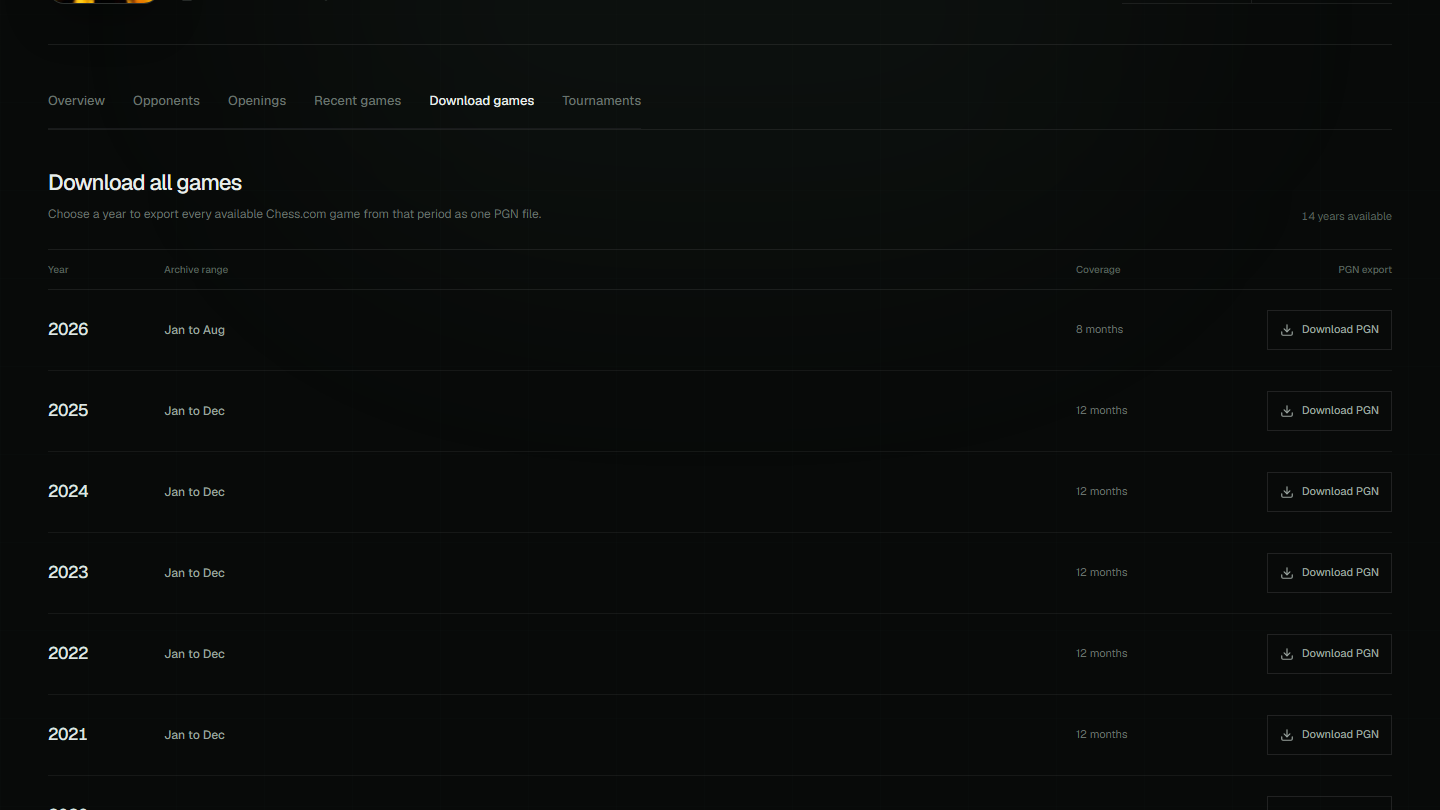
Chess Scanner can combine the available monthly Chess.com archives for a selected year and download them as one PGN file. Use Download All Games when you need a complete local archive. Use a smaller curated set when the goal is preparation or focused review.
PGN is portable text. You can open it in a chess database, study tool, desktop analysis program, or your own scripts without converting the moves. Keep the original player names, date, result, and opening tags so the file remains searchable later.
Handle incomplete archives honestly
Chess Scanner can export only the public games available from the loaded Chess.com archives. A new account, an inactive period, or unavailable archive months may produce fewer games than expected. The interface reports when no downloadable games are found instead of inventing missing data.
If a year is incomplete, first confirm the username and visible activity period. Then narrow the question to the games that are actually present. A clearly bounded sample is still useful, while an assumed complete archive can produce false conclusions.
Turn the file into a repeatable review loop
After export, annotate the critical positions in your preferred tool and write one practical conclusion for each game. Return to Chess Scanner after the next playing period and check whether the opening choice, recurring decision, or result pattern has changed.
The durable workflow is simple: filter, inspect, select, export, annotate, and verify against the next sample. The value comes from repeating that loop with a precise question, not from the number of games stored on disk.